
Drag and drop form builders: 7 lead capture tools compared
This article reviews seven top drag-and-drop form builders built for marketers and agencies, including Growform, Typeform, Jotform, and Google Forms.

Updated Published 13 min read
Every form builder on the market now calls itself drag and drop, so the phrase on its own no longer tells you much. The question is what happens after you drop the field.
A drag and drop form builder is a no-code editor in which a form is assembled by moving ready-made fields, such as a name field, a set of buttons or a dropdown, onto a canvas and arranging them, instead of writing HTML, CSS or JavaScript. All seven tools in this guide work that way. They differ in whether the form can split into steps, branch on an answer, carry the ad click ID through to your CRM and tell you what each lead cost.
Update (October 2026): Every price in this guide was re-read on October 9, 2026. Growform's plans now start at $79 a month, Typeform and Jotform have raised their monthly prices since the first version of this guide, LeadGen App has become CliqForms with new plans, and Google Forms has published its first per-form response limits, which apply from September 2026.
This guide explains what to look for in a drag and drop form creator when the forms exist to capture leads, then compares seven tools on that basis. If you already want to see how Growform's editor works, the drag and drop form builder feature page shows it step by step.
What a drag and drop form builder does
A drag and drop form builder gives you a canvas, a panel of fields and a settings pane. You pick a field from the panel, drop it where it belongs, and set its label, its options and whether it is required. Most builders also let you drag whole steps or pages into a new order and apply a theme without touching a stylesheet.
That covers drag and drop forms creation, which is the easy part. The tools below add conditional logic, CRM delivery and tracking on top, and the quality of those additions is what separates a form that collects data from a form that produces leads you can sell or call.
What to look for when the form exists to capture leads
Feature lists are long and mostly the same. Five things decide whether a form builder drag and drop editor earns its place in a lead generation stack.
Multi-step layout. A lead form that asks one or two questions per step converts better on a phone than a single long page, and it lets you leave the contact details until the lead has invested a few answers. Our study of 114 multi-step lead forms shows how the forms that convert lay them out.
Conditional logic on fields and on steps. Hiding a single follow-up question is the minimum. Skipping a whole step, or ending the form early for a lead you cannot serve, needs step-level rules. Growform's conditional logic works at both levels on every plan.
Hidden fields that survive the form. The gclid, fbclid and UTM parameters from the ad click should land in the lead record, not only in your analytics tool. Check that the builder reads them from the URL without code and passes them on in the same payload as the name and phone number.
Validation in the form, not after it. A phone number checked against a carrier database while the lead is still on the page can be corrected. A number checked in bulk a week later cannot.
Pricing by leads, not by views. Builders aimed at surveys price by responses, and some funnel tools price by visitors. Paid traffic makes a view-metered plan expensive fast. Look for a plan whose limit is the number of leads you keep.
The seven drag and drop form builders compared
- Growform
- Typeform
- Jotform
- Google Forms
- Cognito Forms
- WPForms
- CliqForms (formerly LeadGen App)
1. Growform
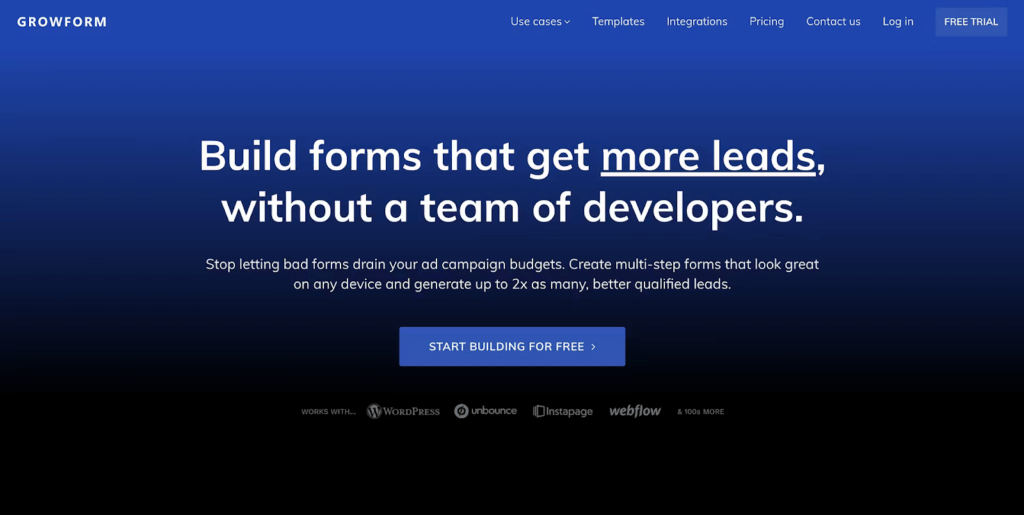
Growform is a drag and drop form builder built for lead generation. Marketers and agencies use it to build multi-step forms that qualify a lead as it answers, keep the campaign and click ID attached, and deliver each submission to a CRM or lead distribution platform the moment it arrives.
Key features
- Multi-step forms with conditional logic: Questions are spread across short steps, and rules show or hide a field, a step or the ending a lead reaches based on earlier answers.

- Drag and drop editor: 25+ field types, including picture buttons, address lookup and a consent checkbox, are dropped onto a step and configured in the settings pane. Every form can start from one of 250+ templates.
- Hidden fields and UTM tracking: Hidden fields read UTM parameters and click IDs from the URL, and 14 presets fill values such as the page URL, gclid and the Facebook click ID without code.
- Real-time validation: Phone numbers are checked through Twilio Lookup and email addresses through ZeroBounce while the lead is still on the form, on the Professional plan and above.
- Consent proof: TrustedForm and Jornaya certificates are recorded on every submission from Professional upwards, which lead buyers often require.
- Delivery: Webhooks and 7,000+ apps through Zapier send each lead to HubSpot, Salesforce, GoHighLevel, Google Sheets or a distribution platform as it is submitted. Form analytics and A/B testing are announced for 2026.
- Styling and branding: Colors, fonts, spacing and the progress bar are set in the theme, with custom CSS for anything else and no Growform branding on any paid plan.
Pricing
- Basic ($79/month, or $63/month billed yearly): 300 leads a month, 3 active forms, embed on 1 domain.
- Professional ($139/month, or $109/month billed yearly): 1,000 leads a month, 15 active forms, unlimited domains, Twilio and ZeroBounce validation, TrustedForm and Jornaya, Google Tag Manager, priority support.
- Scale ($249/month, or $199/month billed yearly): 3,000 leads a month and 50 active forms.
- Custom: Thousands of leads a month, unlimited forms and an uptime SLA, priced on a call.
Every plan includes the editor, multi-step forms, conditional logic and hidden fields, and starts with a 14-day free trial with no credit card.

Pros
- Qualifies leads step by step, so more of the people who start the form finish it
- Keeps the campaign, keyword and click ID on every lead for attribution and offline conversion uploads
- Lets an agency build, duplicate and edit client forms without a developer
- Prices by leads kept, so paid traffic that does not convert costs nothing extra
2. Typeform
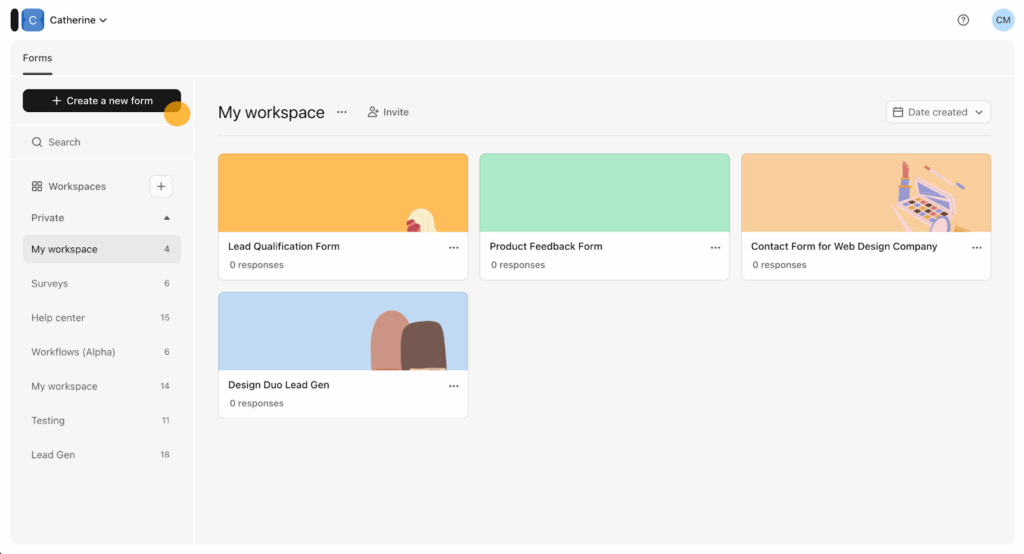
Typeform is known for its conversational interface, which shows one question at a time. Its design options and media support make it a popular choice for marketers and creators who want a form that feels more like a conversation than a questionnaire.
Key features
- Conversational interface: One question per screen by default, with an option to group several questions on a page.
- Custom branding: Logos, colors, fonts and header images match the form to your brand.
- Rich media: Images, videos and GIFs can be placed inside the form.
- Integrations: HubSpot, Pipedrive and Salesforce are native integrations, with webhooks for anything else.
- Built-in analytics: Completion rates and drop-off points are reported inside the platform.
Pricing
- Free: A limited number of responses a month, which the pricing page does not print.
- Basic ($39/month, or $28/month billed yearly): 100 responses a month and 1 user.
- Plus ($79/month, or $56/month billed yearly): 1,000 responses a month, 3 users, removes Typeform branding.
- Business ($129/month, or $91/month billed yearly): 10,000 responses a month, 5 users, drop-off analysis and priority support.
- Enterprise (custom pricing): SSO, HIPAA and the choice of a US or EU data center.

Pros
- Holds attention with one question per screen
- Strong design control for brand-conscious teams
- Works well on mobile without extra setup
Cons
- Response limits count across every form in the account, and auto-upgrade to the next tier is on by default when a limit is reached
- Google Tag Manager and the Meta pixel need the Business plan
- Priced by responses, which includes submissions you would not count as leads
3. Jotform
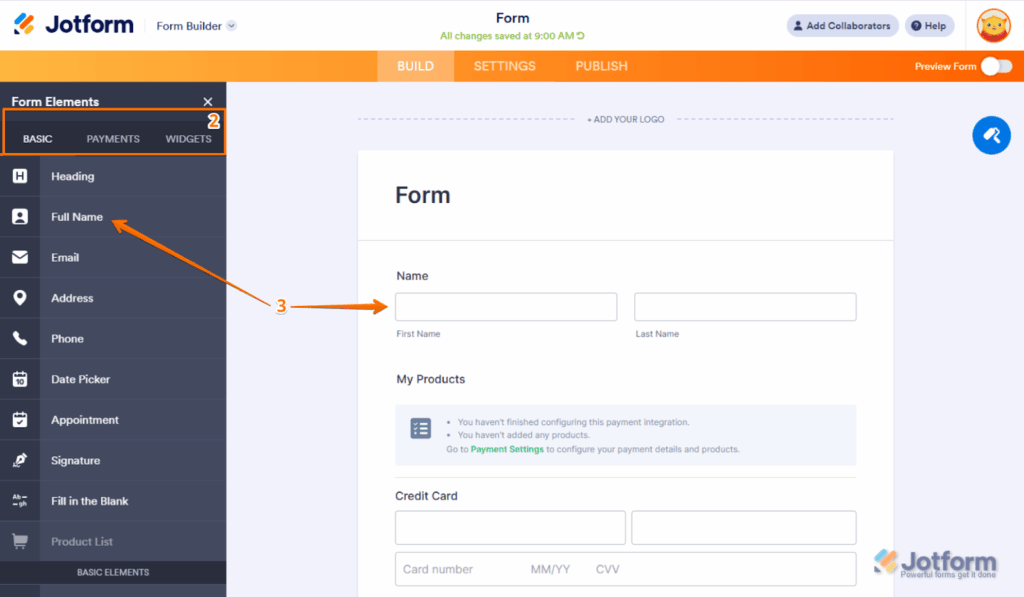
Jotform is a flexible drag and drop form builder for teams that value variety. With more than 20,000 templates and built-in payments, it suits businesses handling event registration, client onboarding and internal workflows as well as lead capture.
Key features
- 20,000+ templates: Pre-built forms for most industries and use cases.
- Conditional logic: Fields, pages and buttons show or hide based on answers.
- Payments: Stripe, PayPal, Square and other processors collect payment inside the form.
- Mobile app: Submissions arrive as push notifications and can be managed on the go.
- 150+ integrations: CRMs, email tools, cloud storage and project management apps.
Pricing
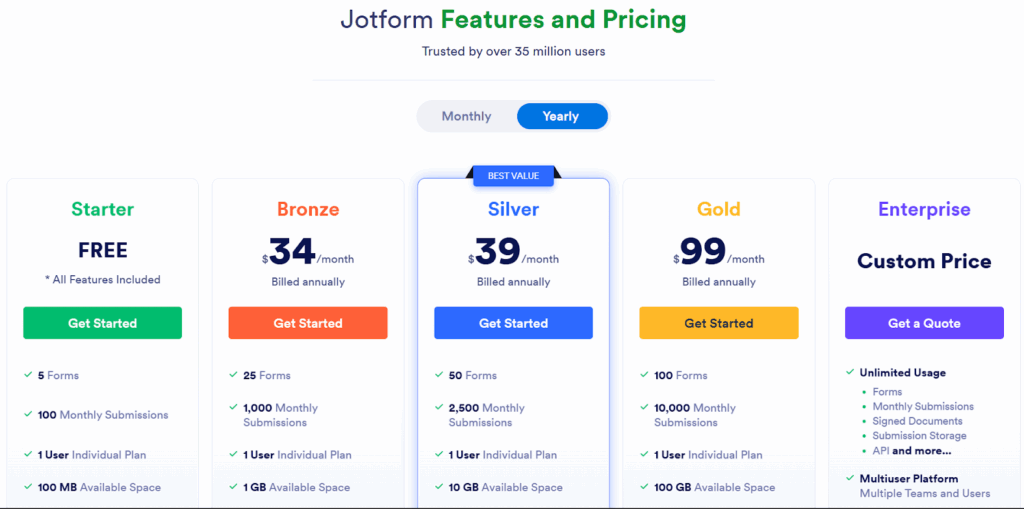
- Starter (free): 5 forms, 100 submissions and 10,000 form views a month.
- Bronze ($39/month, or $34/month billed yearly): 25 forms, 1,000 submissions a month.
- Silver ($49/month, or $39/month billed yearly): 50 forms, 2,500 submissions a month.
- Gold ($129/month, or $99/month billed yearly): 100 forms, 10,000 submissions a month, HIPAA features.
- Enterprise: Custom pricing for large teams.
Pros
- Launches a form quickly from a template
- Payment collection built in
- Mobile app for managing submissions anywhere
Cons
- The interface carries a lot of options for a team that only needs lead forms
- Submissions and form views are both metered, and forms show "Form over quota" when a monthly limit is reached
- Custom domains are listed under the Enterprise plan
4. Google Forms
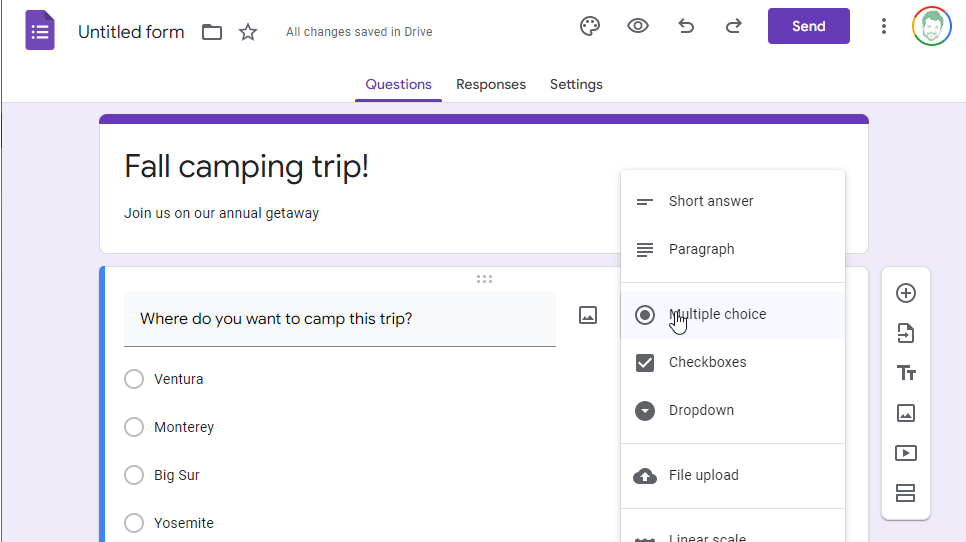
Google Forms is a free form builder included with every Google account and every Workspace plan. Organizations use it for surveys, registrations and feedback forms where cost matters more than design.
Key features
- Free to use: No paid tier for the form builder itself.
- Google Sheets: Responses land in a spreadsheet for analysis and reporting.
- Real-time collaboration: Several people can edit a form at once, as in Google Docs.
- Section-based logic: A dropdown or multiple-choice answer can send the respondent to a different section.
- Templates: A gallery of common form types such as event registration and feedback.
Pricing
Free with a Google account. From September 2026, Google states that each form can receive up to 500,000 responses and hold up to 1 GB of storage.
Pros
- Costs nothing and takes minutes to learn
- Collaboration works the way the rest of Google Workspace does
- Per-form limits are far above what a lead form will reach
Cons
- Design is limited to a header image, colors and fonts
- Logic works at the section level, not on individual fields
- File uploads and one-response-per-person settings require the respondent to sign in to a Google account
5. Cognito Forms
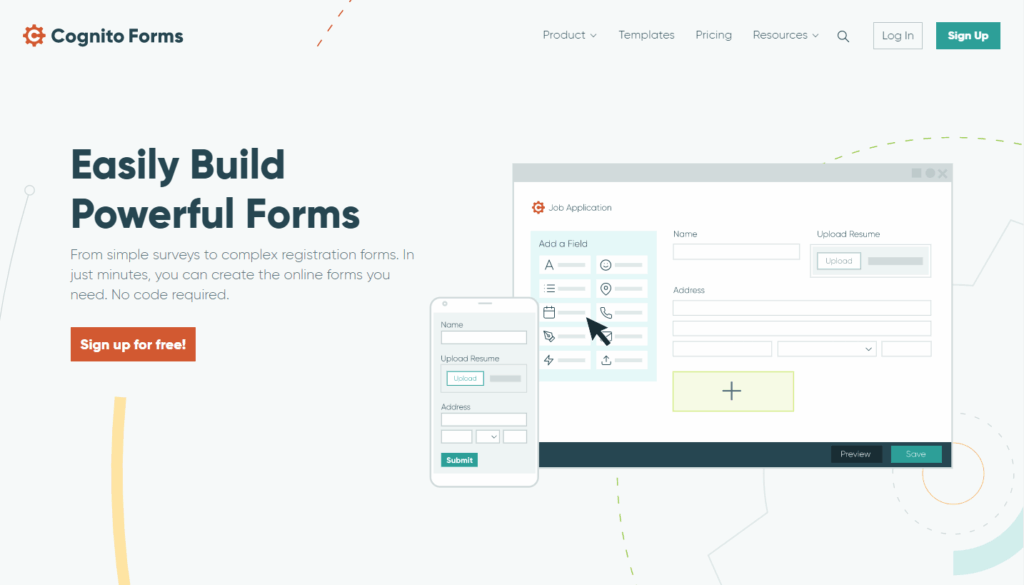
Cognito Forms is a builder for structured forms with calculations, repeating sections and approval workflows. It fits teams that need forms to feed an internal process rather than a sales call.
Key features
- Calculations: Totals, date comparisons and custom formulas update as the form is filled in.
- Repeating sections: Respondents add several entries, such as family members or order lines.
- Workflow automation: Submissions route through approvals with conditional logic and task assignment.
- Payments: Accepted on every plan, including the free one.
- Data encryption: Encryption at rest, with HIPAA features on the Enterprise plan.
Pricing
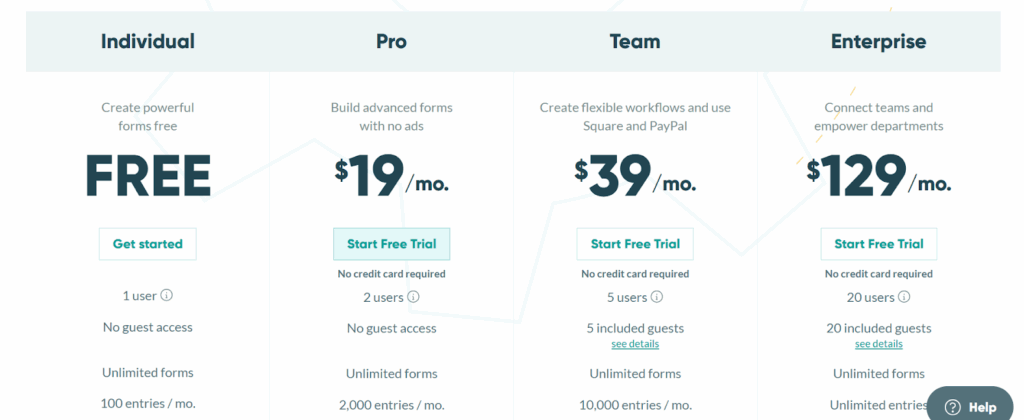
- Individual (free): 1 user, 100 entries a month, 100 MB of storage, with Cognito Forms branding.
- Pro ($24/month, or $19/month billed annually): 2 users, 2,000 entries a month, removes branding.
- Team ($49/month, or $39/month billed annually): 5 users, 10,000 entries a month, workflow and approvals.
- Enterprise ($174/month, or $129/month billed annually): 20 users, unlimited entries, HIPAA compliance and single sign-on.
Pros
- Free plan is usable for a low-volume form
- Calculations and repeating sections handle quotes and orders well
- Workflow automation reduces manual admin for operations teams
Cons
- Design options are limited for teams that want a polished form
- Built around entries and approvals rather than lead delivery and attribution
6. WPForms
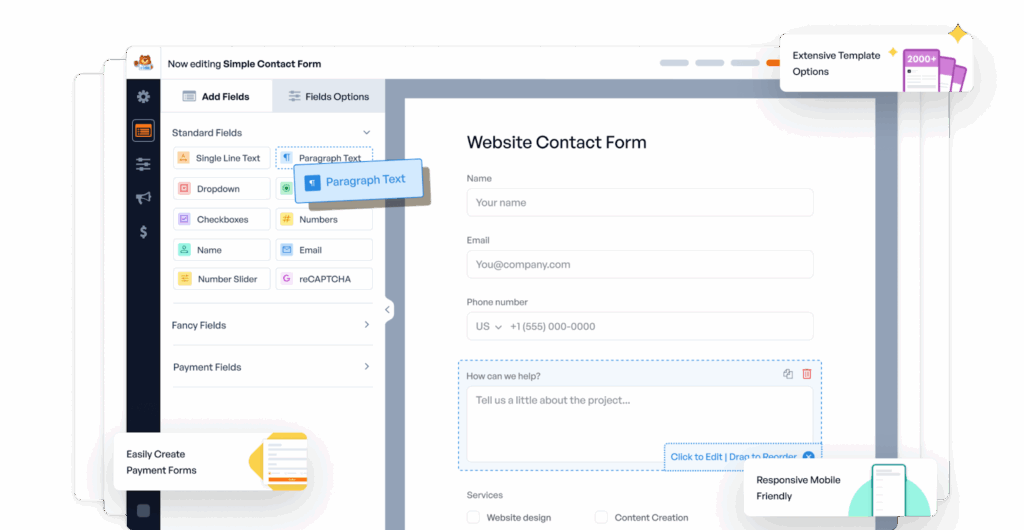
WPForms is a WordPress plugin for site owners who want their forms managed inside the WordPress admin. It handles contact forms, payments and submissions without leaving the site.
Key features
- WordPress native: Installed as a plugin and managed from the WordPress dashboard.
- Templates: Hundreds of form templates, including contact, order and registration forms.
- Conditional logic: Fields show or hide based on earlier selections, on every paid plan.
- Payments: Stripe, Square, PayPal and Mercado Pago on the Pro plan and above.
- Spam protection: Honeypot, reCAPTCHA and custom CAPTCHA options.
Pricing
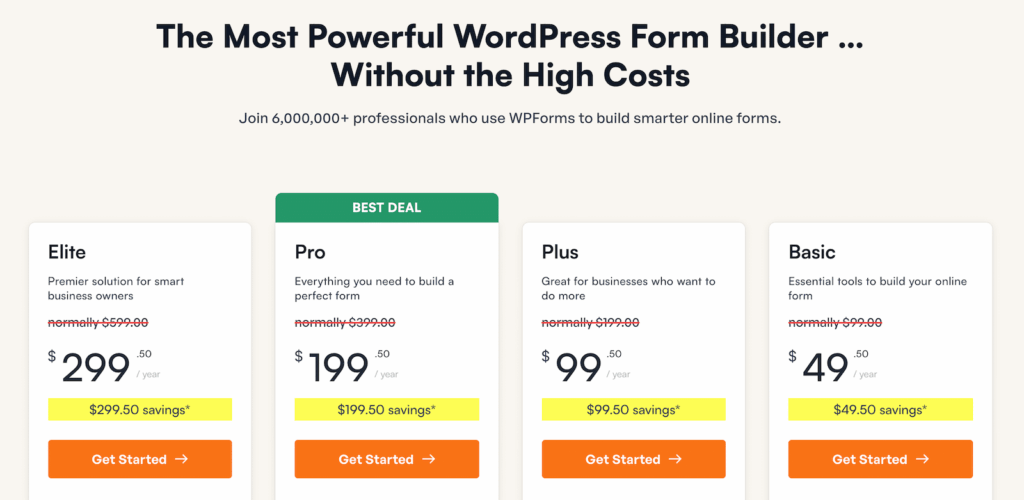
- Basic ($49.50 for the first year, then $99/year): 1 site, hidden fields, conditional logic and multi-page forms.
- Plus ($99.50 for the first year, then $199/year): 3 sites.
- Pro ($199.50 for the first year, then $399/year): 5 sites, payments, Zapier, lead forms and form abandonment.
- Elite ($299.50 for the first year, then $599/year): Unlimited sites, webhooks, HubSpot, Salesforce and Pipedrive add-ons.
Pros
- Unlimited forms and submissions on every paid plan
- Templates get a contact or order form live quickly
- Frequent updates and a large support community
Cons
- WordPress only, so the same form cannot run on an Unbounce or Webflow page
- Every plan renews at double the introductory price
- Webhooks and CRM add-ons sit on the two most expensive plans
7. CliqForms (formerly LeadGen App)
LeadGen App was acquired in 2025 and completed its rebrand to CliqForms in January 2026. It is a multi-step form builder for lead generation that also sells landing pages and an e-signature app, and it serves marketers who need conditional logic, hidden fields and TrustedForm on a lower budget.

Key features
- Multi-step forms: A drag and drop editor for branching, multi-step lead forms.
- Conditional logic and hidden fields: Both are included on every plan, along with UTM capture.
- TrustedForm: Included on every plan, with Contact State alongside it.
- Integrations: Zapier, webhooks and Google Analytics on every plan.
- Calculators and lead scoring: Calculator forms and scoring rules on every plan.
Pricing
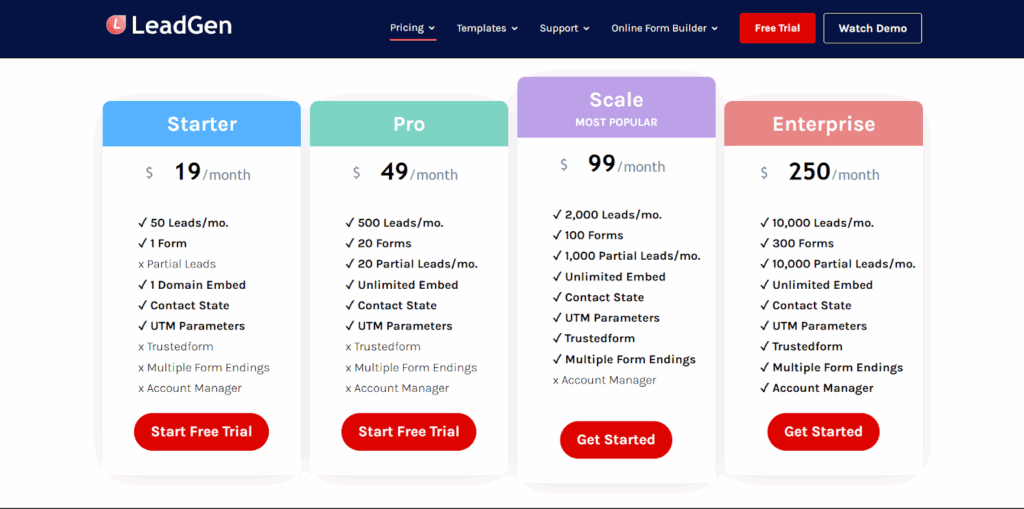
- Bronze ($29/month, or $24/month billed yearly): 20 forms and 500 submissions a month.
- Silver ($59/month, or $49/month billed yearly): 200 forms and 5,000 submissions a month.
- Gold ($99/month, or $83/month billed yearly): 500 forms and 15,000 submissions a month.
Pros
- Conditional logic, hidden fields and TrustedForm without a plan upgrade
- Low entry price for a lead generation builder
- Custom CSS for styling
Cons
- The monthly submission limit includes partial submissions, so abandoned forms count against it
- Support on Bronze is a 24-hour response, and a dedicated manager arrives only on Gold
- The plans bundle landing pages and e-signatures that a form-only team pays for anyway
Which one should you choose?
For a survey, a registration or a payment form, Jotform and Cognito Forms give you the most for the money, and Google Forms costs nothing. For a form on a WordPress site that will never run anywhere else, WPForms is the simplest route.
For a lead form behind paid traffic, the decision comes down to the five points above. Growform and CliqForms are the two tools here built around them, and Growform adds real-time phone and email validation, Jornaya alongside TrustedForm, and plans that count leads rather than every submission. Our pricing page lists what each plan includes.
Frequently asked questions
Do drag and drop form builders need any coding?
No. Fields, steps, logic rules and the design are all set with options in the editor, and the finished form is published with a link or a single embed snippet. Code is optional and is usually limited to custom CSS or a script that runs on completion.
What is the difference between a drag and drop form builder and an HTML form builder?
A drag and drop HTML form builder generates markup that you copy into your own page and connect to your own back end. A hosted drag and drop form builder stores the submissions, runs the logic and validation for you, and sends each lead on to your CRM or email, so there is nothing to maintain on your server.
Can a drag and drop form builder make multi-step forms?
Most of the tools in this guide can. Growform, Typeform, Jotform, WPForms and CliqForms all split a form into steps or pages. Google Forms uses sections, which work in a similar way. Check that the builder lets you reorder steps and show or hide a whole step with a rule.
Which drag and drop form builder is best for lead generation?
For paid lead generation, pick the builder that keeps the ad click ID and UTM parameters with the lead, validates phone numbers and emails in the form, and prices by leads rather than by views. Growform and CliqForms are built around those needs. Typeform and Jotform are broader tools that also serve surveys, payments and internal forms.
Build your next lead form in Growform
Drag and drop editors have made the form itself the easy part. What separates the tools in this guide is what travels with each submission and what it costs you when traffic scales. Growform was built for that job, with multi-step forms, conditional logic, hidden fields and real-time validation on a plan that counts the leads you keep.
Every plan starts with a 14-day free trial and no credit card. Start free trial.
Related articles
Jotform pricing 2026: every plan, every limit and what a lead form costs
Jotform costs $39, $49 or $129 a month, or $408, $468 or $1,188 a year, and the free plan stops at 100 submissions. Every plan and limit, checked October 9, 2026, plus what a lead form really costs.
October 9, 2026

6 Best Form Builders for ClickFunnels Lead Funnels
September 30, 2026

7 Best Quiz Builders for Lead Qualification Funnels
Paid traffic lead funnels rarely fail because the quiz looked boring.
September 30, 2026